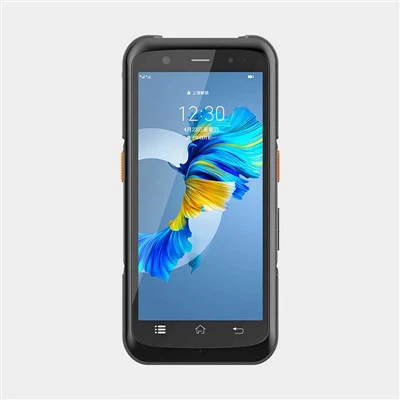
Hey there! As a supplier of Handheld PDA Scanners, I'm often asked about what kind of training is needed to use these nifty devices. Well, let's dive right in and explore the ins and outs of PDA scanner training.
Basic Familiarization
First off, the initial training should focus on getting users familiar with the physical aspects of the handheld PDA scanner. This includes understanding the device's layout, buttons, and ports. For example, users need to know where the power button is, how to charge the device, and where to connect additional accessories. It might seem like a no - brainer, but trust me, a little hands - on time with the device can go a long way.
Most of our scanners come with a user - friendly interface. But still, users need to learn how to navigate through the menus. They should be able to access different functions such as scanning modes, settings, and storage options. This basic navigation training is crucial as it forms the foundation for using the scanner effectively.
Scanning Techniques
One of the main functions of a handheld PDA scanner is, of course, scanning barcodes. Users need to learn the proper scanning techniques. This involves holding the scanner at the right angle and distance from the barcode. A common mistake is holding the scanner too close or too far, which can result in inaccurate scans.
We usually recommend holding the scanner about 2 - 4 inches away from the barcode and keeping it parallel to the barcode surface. Also, users should be taught to move the scanner steadily across the barcode. Some scanners have a beep or vibration feature to indicate a successful scan. Training should include how to recognize these signals.
Software and Application Training
Our Handheld PDA Scanners are often used in conjunction with specific software applications. These applications can be used for inventory management, sales tracking, or asset management, among other things. Users need to be trained on how to use these applications effectively.
For example, in an inventory management application, users need to learn how to scan items into the system, update inventory levels, and generate reports. This might involve entering item details, such as product names, prices, and quantities. Training should cover all the steps involved in using the application, from logging in to performing complex tasks.
Connectivity and Data Transfer
Another important aspect of training is understanding how to connect the PDA scanner to other devices and transfer data. Our scanners support various connectivity options, such as Wi - Fi, Bluetooth, and USB. Users need to learn how to set up these connections and transfer data between the scanner and a computer or a server.
For instance, if a user wants to transfer inventory data from the scanner to a computer, they need to know how to establish a Wi - Fi connection and use the appropriate software to transfer the data. Training should also cover troubleshooting common connectivity issues, such as connection failures or slow data transfer speeds.
Safety and Maintenance
Safety and maintenance training is often overlooked but is essential. Users need to be taught how to handle the scanner safely to avoid damage. This includes not dropping the scanner, keeping it away from extreme temperatures and moisture, and using it in a clean environment.
Maintenance training should cover basic tasks such as cleaning the scanner's lens, replacing the battery, and updating the firmware. Regular maintenance can extend the lifespan of the scanner and ensure its optimal performance.


Training Resources
We provide a variety of training resources to our customers. These include user manuals, online tutorials, and in - person training sessions. Our user manuals are detailed and easy to understand, providing step - by - step instructions on how to use the scanner and its associated applications.
Online tutorials are a great way for users to learn at their own pace. They can watch videos that demonstrate how to perform different tasks, such as scanning barcodes or using the software applications. In - person training sessions are also available for larger organizations or customers who prefer hands - on learning.
Why Our Training Matters
Proper training ensures that users can make the most of our Handheld PDA Scanners. It reduces the likelihood of errors, improves productivity, and enhances the overall user experience. When users are well - trained, they can perform tasks more efficiently, which can lead to cost savings for businesses.
If you're interested in our Android PDA Scanner, PDA Barcode Scanner, or PDA Scanner Android, we're here to provide you with the best training and support. Whether you're a small business owner or part of a large corporation, we can tailor our training to meet your specific needs.
Conclusion
In conclusion, using a handheld PDA scanner requires a combination of basic device familiarization, scanning techniques, software application training, connectivity knowledge, and safety and maintenance skills. As a supplier, we're committed to providing comprehensive training to our customers to ensure they get the most out of our products.
If you're considering purchasing our Handheld PDA Scanners and want to learn more about our training programs, feel free to reach out to us. We're happy to discuss your requirements and provide you with all the information you need to make an informed decision.
References
- Manufacturer's user manuals for Handheld PDA Scanners
- Industry best practices for PDA scanner training